Clean your camera roll with a single swipe.
FreeSpaces turns the chore of tidying thousands of photos into something you'll actually finish. Swipe left to bin, right to keep. Reclaim gigabytes in minutes.
Free to start · 7-day Pro trial · No account needed
Three swipes from a cleaner phone
No spreadsheets, no endless scrolling. Just quick, satisfying decisions — and a safety net for every one of them.
Swipe to decide
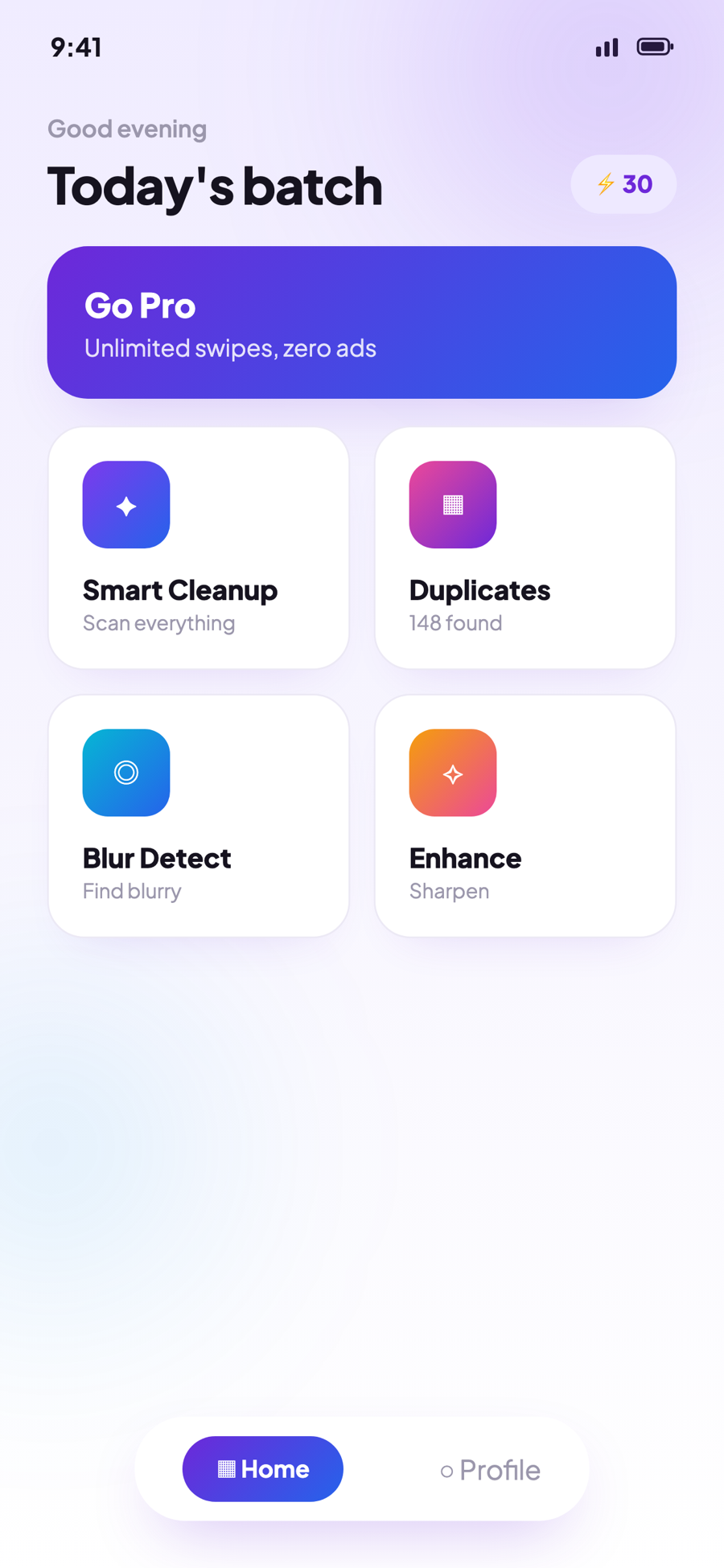
One photo at a time, full-screen. Flick left to bin it, right to keep it. Your thumb does all the work.
Review your bin
Everything you swiped away lands in a review tray. See the total size you're about to recover before anything is gone.
Delete & recover space
Confirm once. Photos move to your Recently Deleted album, so you've got 30 days to change your mind. Watch the GBs come back.
Designed to make cleaning feel good
Bright, glassy and unmistakably tactile — every screen is built around quick, confident decisions.

Scroll to explore
More than a swipe.
A full cleanup studio.
FreeSpaces pairs the addictive swipe loop with smart tools that hunt down the clutter you'd never find by hand.
Smart Cleanup, in one tap
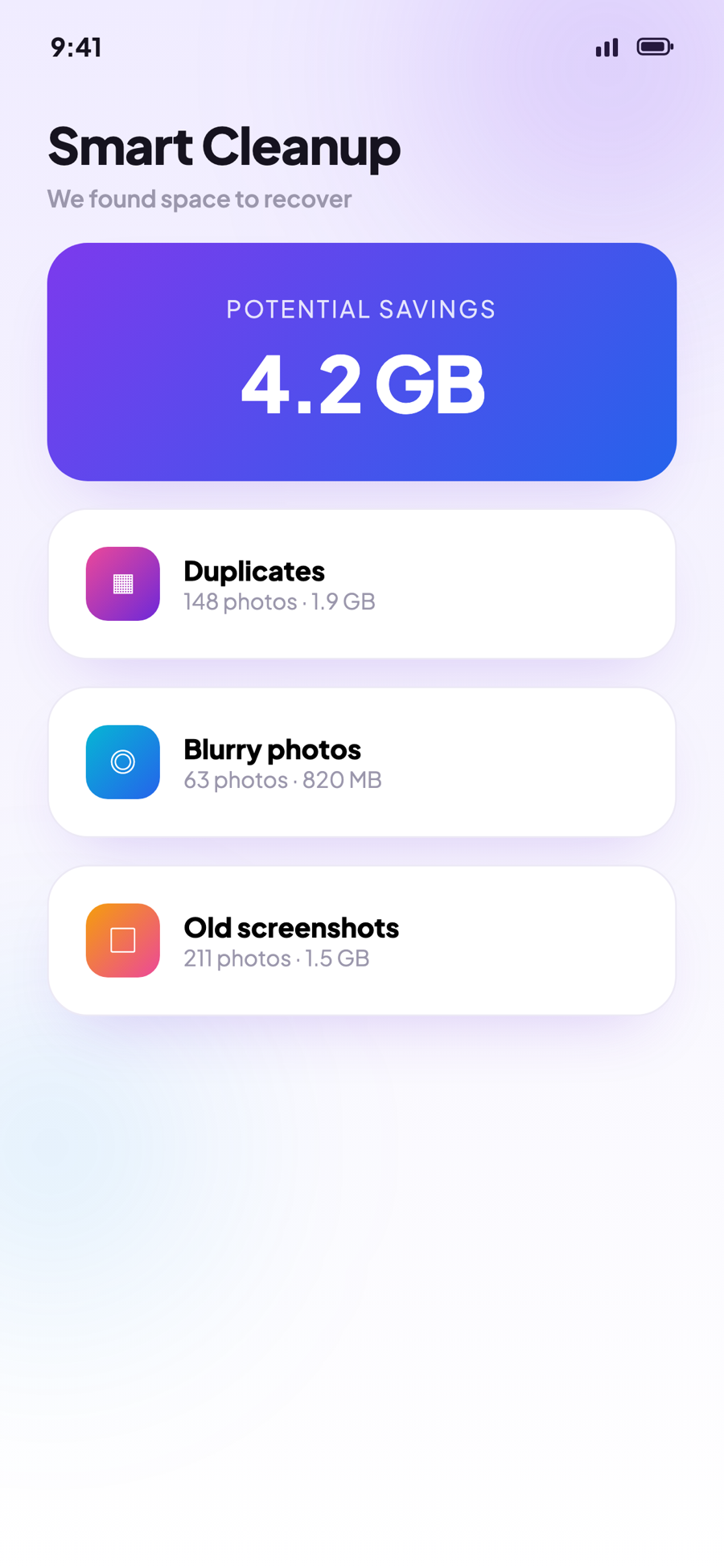
Let FreeSpaces scan your whole library and surface duplicates, blurry shots, old screenshots and oversized files — bundled into one estimate of how much you can free.
Duplicate finder
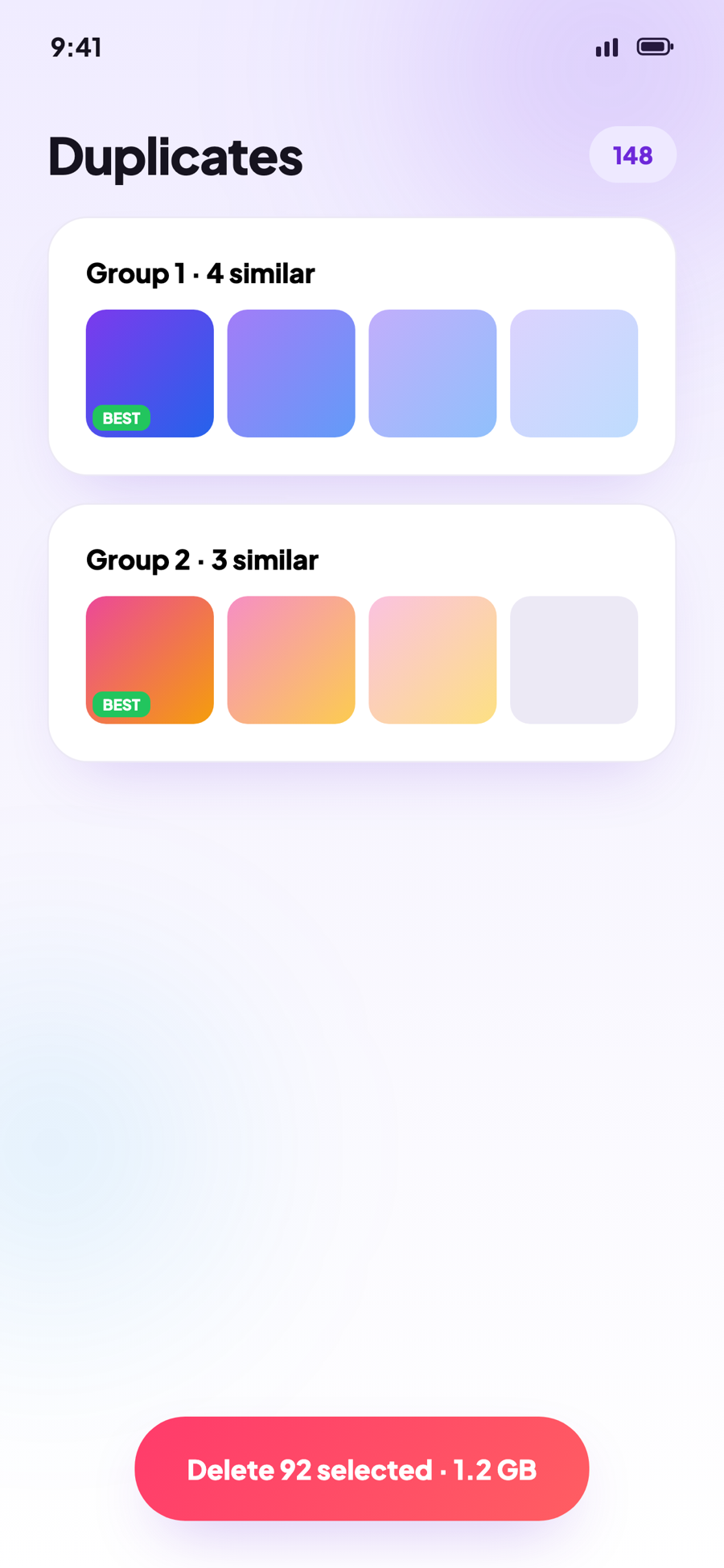
Visual matching groups near-identical shots and marks the best one to keep.
Blur detection
Catches out-of-focus and shaky photos with an on-device sharpness score.
One-tap Enhance
Sharpen and denoise your favourites with Apple's on-device Core Image, before-and-after preview included.
Compress & make PDFs
Shrink large photos and videos, or bundle shots into a tidy multi-page PDF to share.
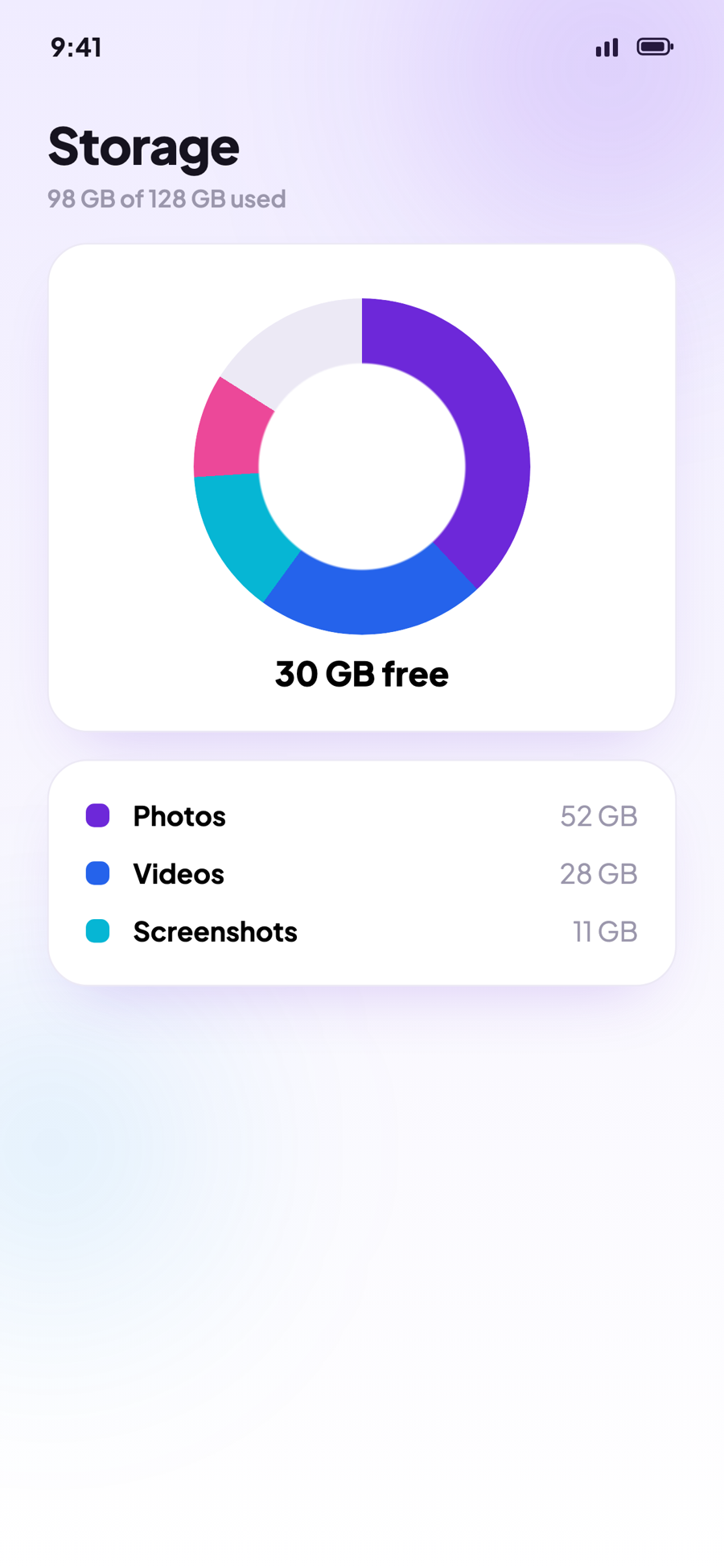
Storage overview
A clear breakdown of what's eating your space — photos, videos, screenshots and more, in one donut.
Video tools that pull their weight
Compress space-hungry clips to 480p / 720p / 1080p, or pull crisp still frames out of any video and save them straight to your library.
Social media cleaner
Track down the WhatsApp and Telegram media quietly hoarding storage, and clear it in bulk.
Your photos never leave your phone.
FreeSpaces does every scan, score and deletion locally on your device. There's no account to create, no cloud to sync to, and no servers seeing your memories. The only thing that gets smaller is your storage usage.
-
Nothing uploadedAll processing happens on-device.
-
No account requiredOpen the app and start cleaning.
-
A 30-day safety netDeletions go to Recently Deleted first.
-
We don't collect your mediaNo locations, no contacts, no metadata.
Start free. Go Pro when you're hooked.
Clean for free every day, or unlock unlimited swipes, every tool, and zero ads with Pro.
- Daily swipe sessions
- Duplicate & blur scans
- Storage overview
- 3 free runs of each Pro tool
- Unlimited swipes, every day
- Every advanced tool unlocked
- Zero ads — ever
- Auto-clean schedule
- All Pro features, for life
- No recurring payments
- Every future update included
- Monthly plan also available
Prices shown in USD and may vary by region. Monthly Pro is also available in-app.
Good to know
FreeSpaces shows your photos one at a time. Swipe left to mark a photo for deletion and right to keep it. When you're done, review everything in your bin and confirm — FreeSpaces handles the rest.
No — not straight away. Deleted photos move to your phone's Recently Deleted album, where they stay for 30 days before iOS removes them. You can restore anything within that window from the Photos app.
Never. Every scan and edit runs entirely on your device. FreeSpaces has no servers for your media, requires no account, and doesn't collect your photos, locations or contacts.
Free includes daily swipe sessions, duplicate and blur scanning, the storage overview, and three free runs of each Pro tool so you can try them out. Pro unlocks unlimited swipes, every tool, and removes ads.
From the home screen, tap Smart Cleanup or open the Duplicates and Blur Detection tools directly. FreeSpaces scans your library on-device and groups what it finds, with the best shot in each duplicate set marked for you.
Yes, anytime. Pro subscriptions are managed through your Apple ID — cancel from Settings → your name → Subscriptions. If you cancel during the 7-day trial you won't be charged.
Your camera roll called.
It wants a clear-out.
Download FreeSpaces and free up your first gigabyte before your coffee goes cold.